
TL;DR:
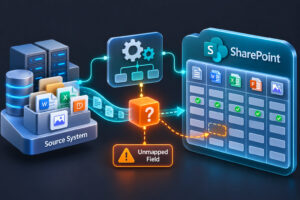
While a SharePoint migration runs, people keep creating and editing files in the old system. If nobody plans for those changes. This blog explains the gap between the first migration pass and cutover, how delta migration closes it, and how to keep downtime short.
A SharePoint migration can take weeks, and for all of those weeks your people keep working. They write new documents, edit old ones, and upload files to the system you are about to leave.
Then cutover day arrives, and a question remains: what happens to everything created after the first pass?
Without a plan, one of two things happens. Those files are missing from SharePoint, or the business freezes the old system and stops work until everything is copied again. The freeze is an expensive option. According to ITIC’s 2024 survey, more than 90% of mid-size and large enterprises say a single hour of downtime costs over $300,000. Long cutover windows add up fast.
This gap between the initial migration and the final cutover is where recent changes get lost. SharePoint delta migration is how you close it, and it is also how you keep SharePoint migration downtime short. This blog explains what happens in that gap, why those changes must be captured, and how to avoid missing them.
So, What Happens to New Content Created While Your SharePoint Migration Is Running?
It needs to be captured in a later migration pass.
The first migration pass captures the content included at that point. But the source environment doesn’t suddenly stop changing.
People continue to:
- Create files
- Edit existing documents
- Upload new content
A delta migration is used to capture content that has been created or modified since the previous migration.
Near the cutover, a final delta pass can be used to capture the remaining changes before users begin working in SharePoint.
What Is the Gap Between the First Pass and Cutover?
It’s the time between when you start copying content and when users switch to SharePoint. In a large migration, that can be weeks.
During those weeks, the old system stays live. People keep creating files, editing them, and saving them to the same places. The first pass copied a snapshot, and the snapshot gets older every day.
What Goes Wrong If You Ignore It?
Picture a company moving 2 TB from a file server. The first pass takes three weeks. These numbers are for illustration, not a statistic:
- 400 people keep working
- Each saves or edits about 10 files a day
- Over 15 working days, that’s roughly 60,000 file changes
Without a plan for those changes, you have two bad choices. You cut over and 60,000 changes are missing from SharePoint, or you freeze the old system and copy everything again. The freeze is the costly one, as the ITIC figure above shows. It also means SharePoint migration downtime lasts as long as the full copy takes.
How Does SharePoint Delta Migration Work?
SharePoint delta migration copies everything once, then copies only what changed. The steps:
- Initial pass. Copy the bulk of the content while people keep working.
- Delta passes. Later passes copy only files created or modified since the last one.
- Freeze. Just before the cutover, set the source to read-only.
- Final delta pass. Pick up the last changes, which should be a small amount.
- Cutover. Point users to SharePoint.
Microsoft’s own tools work this way. In its SharePoint Migration Tool documentation, Microsoft explains that you can rerun a saved task to copy only new or updated files from the source. Its Migration Manager documentation describes the same idea as a “delta sync.”
| One pass only | Initial pass + delta passes | |
| What’s copied at cutover | Everything | Only what changed |
| Work during migration | Frozen or lost | Continues normally |
| Risk of missing recent changes | High | Lower |
| Cutover window | Long | Short |
How Can You Reduce the Risk of Missing Recent Changes?
- Plan delta passes from day one. Put them in the schedule, not as an afterthought.
- Run them often. Space them out early, then run them more often as the cutover gets close.
- Freeze the source before the final pass. Otherwise changes keep slipping in.
- Don’t rename or move migrated content mid-migration. Microsoft’s SPMT documentation warns that doing so before the final migration results in files being overwritten.
- Check the final pass. Confirm nothing is outstanding before you decommission the old system.
- Test it once first. Run a dry run during your pilot to confirm the delta catches everything.
How Does Tzunami Support Delta Migration?
Tzunami Deployer supports delta migration. After the initial pass, later passes capture content created or modified since then, so recent changes reach SharePoint without re-running the whole migration.
The tool runs the passes. Deciding when to freeze the source and how many passes to run is still up to your team. For more detail, see our earlier guide on delta SharePoint migration.
Which Mistakes Cause the Most Trouble?
- Running one pass and calling it done
- Skipping the read-only freeze
- Reorganizing folders while the migration runs
- Shutting down the old system before checking the final pass
- Never testing the delta process before cutover
Conclusion
A migration doesn’t stop the business, and your plan shouldn’t pretend it does. Content keeps changing until the day you switch. Plan for that gap, run delta passes, freeze the source, and check the final pass. Then recent work arrives in SharePoint, and cutover stays short.
Frequently Asked Questions
- What is delta migration in SharePoint?
It copies everything once, then copies only the files created or changed since the last pass. - Why do I need it?
Users keep working in the old system during migration. Without delta passes, their recent changes are missing at cutover. - How many delta passes do I need?
It depends on how active the content is. Busy environments need more passes, run closer together as cutover approaches. - Does delta migration remove downtime completely?
No. It shortens the cutover window because only recent changes need to move. - Does Tzunami support delta migration?
Yes. Tzunami Deployer captures content created or modified after the initial pass in later passes.