

TL;DR
SharePoint permissions are easy to set and easy to forget. This blog breaks down how unmanaged access becomes a security risk — and what to do about it.
SharePoint is where most enterprises store their most sensitive content, such as contracts, financials, HR records, and strategic plans. That also makes it the place where a poorly managed permission can do the most damage.
The reality is alarming. According to the SharePoint support team, every single one of 200+ audited SharePoint environments had at least 3 critical permission issues. And according to IBM’s Cost of a Data Breach Report, the global average cost of a data breach reached $4.4 million, which highlights the financial impact organizations face when sensitive information is exposed.
How Permission Problems Build Without Anyone Noticing
Here’s the thing: permission problems don’t start because someone made a bad call. They start because someone made a fast one. For instance, a site owner grants a user direct access instead of adding them to a group; a project team breaks a library’s inheritance to meet an urgent requirement; an external partner receives access to a folder; and nobody removes it after the project ends.
Individually, these actions seem harmless. Collectively, they create permission sprawl, which is a growing gap between who should have access and who actually does. Over time, organizations accumulate outdated permissions, inactive accounts, and forgotten exceptions that become increasingly difficult to identify and manage.
Broken Inheritance: A Hidden Challenge
SharePoint’s inheritance model is genuinely useful when it stays intact. When a library inherits from its site, and a site inherits from its collection, there is a clear chain that administrators can follow and audit.
The challenge begins when inheritance is repeatedly broken. As complexity increases, visibility decreases, and administrators may struggle to determine who has access to sensitive content, creating challenges that often remain hidden until an audit, review, or migration project uncovers them.
Unauthorized Access and Security Exposure
This is the part that catches most organizations off guard. Permission sprawl doesn’t send an alert. The access just sits there, working exactly as it was configured.
Think about how it actually plays out. An employee leaves during a hectic quarter, and deprovisioning gets missed in the chaos of offboarding. Someone moves to a different team but keeps their old access because revoking it takes time, and honestly, nobody wants to be the one who blocked a colleague who turned out to still need something. An external partner’s access never gets removed because the project didn’t end with a clear cutoff; it just kind of faded out.
None of these feels like a security incident. But collectively, they add up to an environment where a compromised credential or a careless share can expose far more than it should.
Why Copilot Makes Permission Management More Important Than Before
Before Copilot, stale permissions were a background risk. Someone might technically be able to access a file they shouldn’t, but they would have to know it existed and navigate there deliberately.
Copilot removes that friction. It surfaces content based on whatever permissions are currently in place, and it doesn’t evaluate whether those permissions still make sense or whether they should still exist.
For instance, a contractor whose access was never removed, an account that should have been deprovisioned months ago. Copilot treats them the same as any active current employee. Permission issues that used to stay hidden now have real reach. That’s a permissions problem that Copilot makes much harder to contain.
How Tzunami Helps Preserve Permissions
Tzunami Deployer approaches migration with permissions as a core component of the process. During migration, security settings, users, groups, and permissions can be transferred alongside the content itself, helping organizations maintain continuity and preserve access controls throughout the migration process.
For organizations migrating from legacy ECM platforms such as Documentum, OpenText, Confluence, and other enterprise content repositories, Tzunami supports permissions mapping from the source environment to SharePoint’s security model.
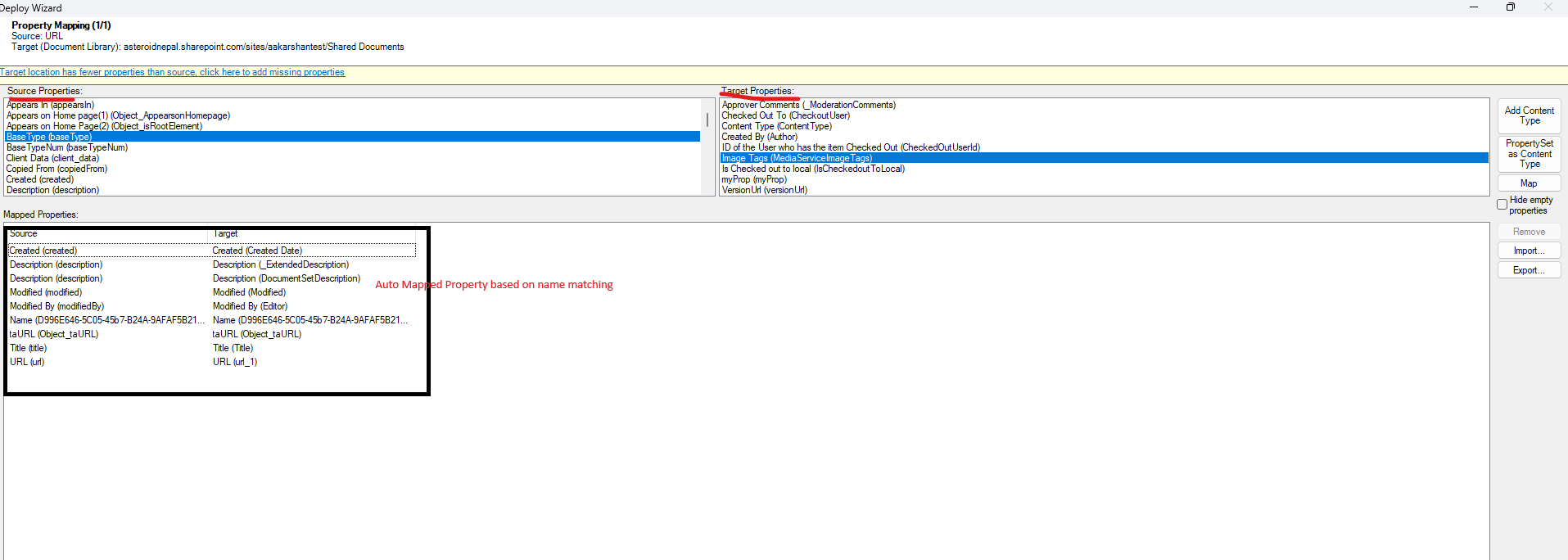
By preserving permissions, metadata, and content structure together, organizations can reduce disruption and maintain confidence that users retain appropriate access after migration.
Managing SharePoint Permissions After Migration
Migration is only one part of the equation. Once a SharePoint environment is live, permissions continue to evolve as employees join, leave, change roles, and collaborate across teams.
To help simplify ongoing SharePoint permission management, Tzunami offers SharePoint Permission Manager. The solution provides administrators with a centralized way to view permissions, manage access, transfer permissions between users, revoke access when necessary, and generate permission reports.
Instead of navigating multiple sites and libraries individually, administrators can gain greater visibility into permissions across their environment and perform common management tasks more efficiently. This reduces administrative overhead while making permission management easier to maintain over time.
📌 Request a free demo on Tzunami’s Permissions Management.
Summing up
SharePoint permission issues develop gradually through years of exceptions, access changes, and unmanaged growth. Left unaddressed, these issues can create unauthorized access risks, challenges, and security gaps that become increasingly difficult to control.